Flexible meal planner

What is Trainerize?

What is
Trainerize?

Trainerize is a platform that helps coaches create workout routines and nutrition plans for their clients. Coaches can guide clients through fitness programs using AI-generated workouts, nutrition coaching, and a mobile app where clients can track meals, calories, water intake, activity, and progress.

One of the premium offerings within Trainerize was Advanced Nutrition Coaching, a feature that allowed coaches to generate meal plans automatically and share them directly with clients through the app.

Details

My role

I led the project as the Senior Product Designer, working closely with a Product Manager and engineering team from discovery through delivery.

I owned the research, UX strategy, interaction design, UI design, prototyping, and usability testing. I also collaborated with an in-house nutrition coach to better understand how real coaches build nutrition programs for different types of clients.

Throughout the project, I shared iterations regularly in design critiques to gather feedback and refine the experience.
Overview

Trainerize’s Smart Meal Plan was built to help coaches create nutrition plans faster, but the experience became increasingly difficult to use in real coaching scenarios. Coaches needed flexibility to support different client lifestyles, meal structures, and nutrition goals, yet the existing system relied on rigid rules and limited customization.

As the Senior Product Designer leading the project, I redesigned the experience into a flexible meal-planning system that gave coaches more control over how plans were created, customized, and reused. The solution introduced a drag-and-drop meal builder, support for custom meals and multiple calorie goals, and a phased beta rollout that helped improve adoption of Advanced Nutrition Coaching.


Problem

What was Smart Meal Plan?

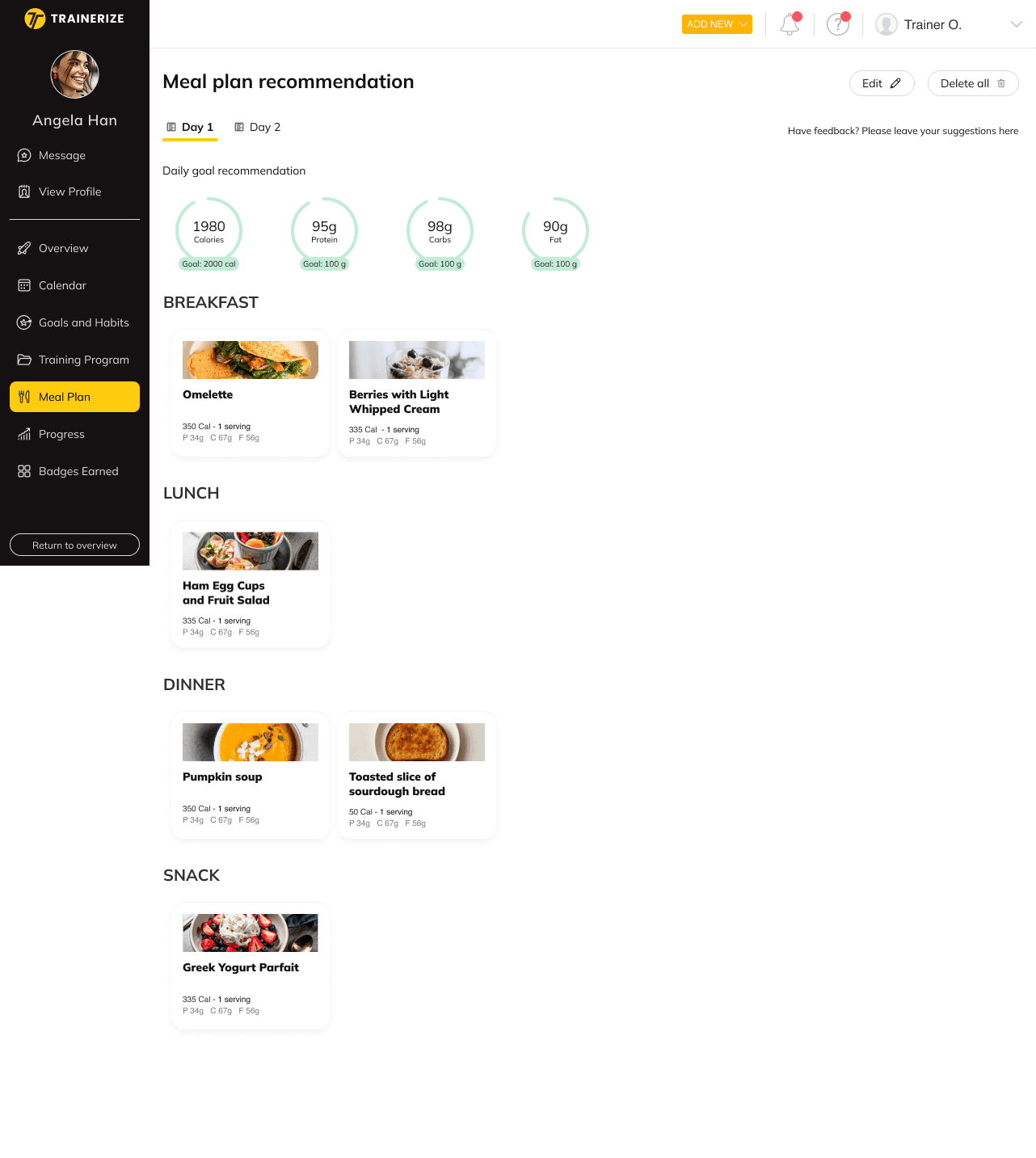
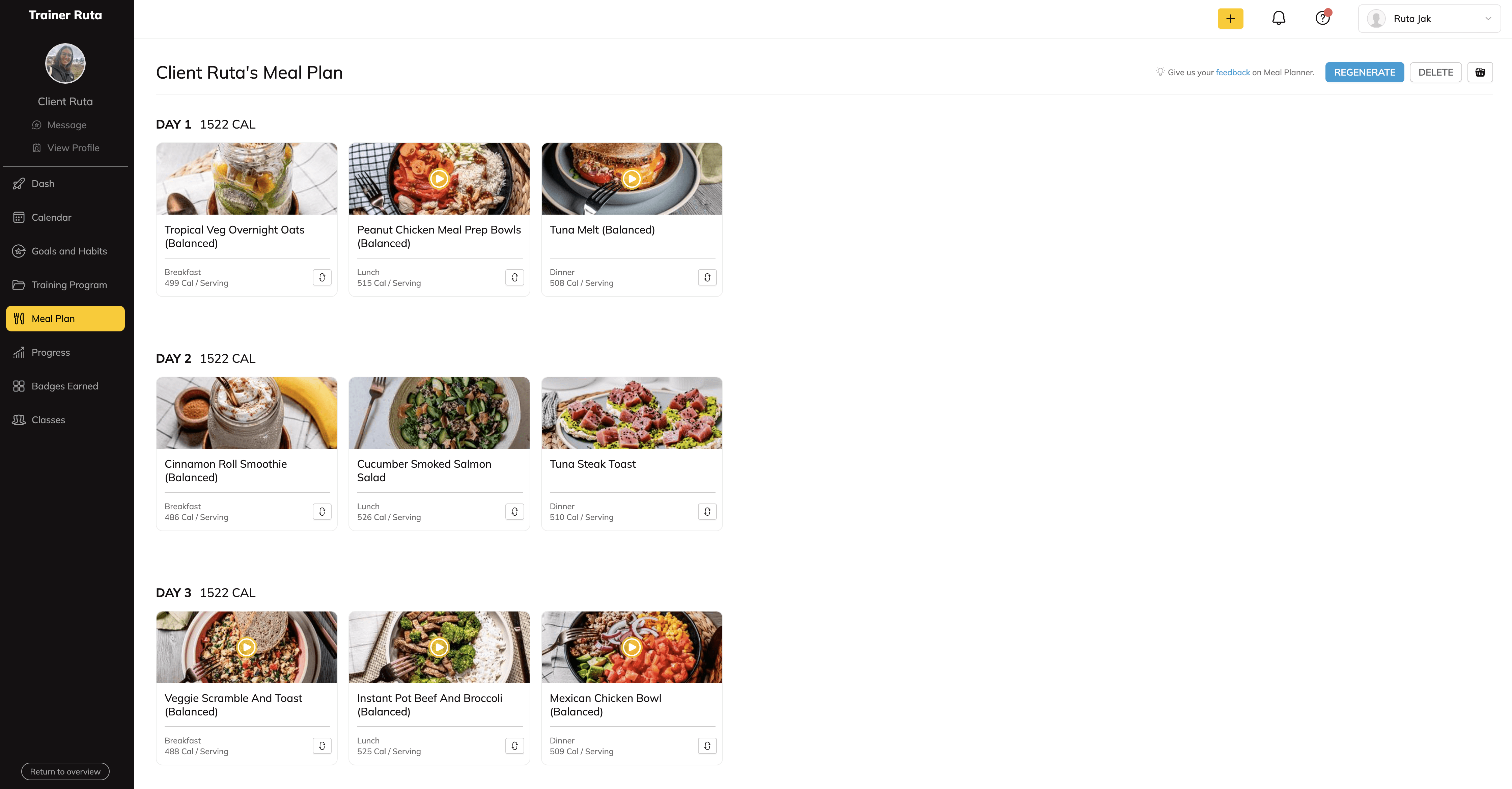
Smart Meal Plan was designed to help coaches create nutrition plans faster by automatically generating meal plans based on calorie goals, meal count, and dietary preferences.

While the feature worked well for simple scenarios, coaches quickly ran into limitations when trying to adapt plans to real client needs. The experience felt too rigid, making it difficult to customize meals, adjust nutrition goals, or create realistic meal structures for different lifestyles and fitness levels. Over time, this became a growing issue for coaches paying for Advanced Nutrition Coaching but not fully using the feature.

The Challenge

Smart Meal Plan was designed to help coaches quickly create nutrition plans based on calorie targets and dietary preferences. It worked well for simple cases, but it started to break down in real coaching workflows where more flexibility was needed.

The core issue was a gap between a fixed system for generating plans and how coaches actually build nutrition plans for different clients. Plans often didn’t reflect how people really eat, which made them harder to use in practice.

Many clients preferred simple, repeatable meals they could prepare quickly or reuse throughout the week. Coaches working with beginners often leaned toward consistent meals like the same breakfast every day, rather than varied recipes with many ingredients. On the other end, advanced clients needed more structured plans with multiple meals, supplements, and detailed macro tracking. The system didn’t handle this range well.

Key breakdowns in the experience:

1. The system was too rigid for real use

  • Calorie values were locked into fixed steps (e.g. 500-calorie blocks), which made realistic planning harder

  • Only one daily calorie target was supported, so coaches couldn’t adjust for training vs rest days

  • Meal structures were fixed, which didn’t fit different coaching styles

2. Custom changes were hard to make

  • Adding custom meals took too many steps and wasn’t used much

  • Editing recipes or swapping ingredients wasn’t flexible enough for common use cases

  • Many coaches ended up using spreadsheets or external tools instead

3. Important tools were hard to find and use

  • Recipe libraries were not easy to discover while building plans

  • Filtering options were too limited for specific client needs

  • Some advanced features were buried and rarely used

What was Smart Meal Plan?

Smart Meal Plan was designed to help coaches create nutrition plans faster by automatically generating meal plans based on calorie goals, meal count, and dietary preferences.

While the feature worked well for simple scenarios, coaches quickly ran into limitations when trying to adapt plans to real client needs. The experience felt too rigid, making it difficult to customize meals, adjust nutrition goals, or create realistic meal structures for different lifestyles and fitness levels. Over time, this became a growing issue for coaches paying for Advanced Nutrition Coaching but not fully using the feature.

The Challenge

Smart Meal Plan was designed to help coaches quickly create nutrition plans based on calorie targets and dietary preferences. It worked well for simple cases, but it started to break down in real coaching workflows where more flexibility was needed.

The core issue was a gap between a fixed system for generating plans and how coaches actually build nutrition plans for different clients. Plans often didn’t reflect how people really eat, which made them harder to use in practice.

Many clients preferred simple, repeatable meals they could prepare quickly or reuse throughout the week. Coaches working with beginners often leaned toward consistent meals like the same breakfast every day, rather than varied recipes with many ingredients. On the other end, advanced clients needed more structured plans with multiple meals, supplements, and detailed macro tracking. The system didn’t handle this range well.

Key breakdowns in the experience:

1. The system was too rigid for real use

  • Calorie values were locked into fixed steps (e.g. 500-calorie blocks), which made realistic planning harder

  • Only one daily calorie target was supported, so coaches couldn’t adjust for training vs rest days

  • Meal structures were fixed, which didn’t fit different coaching styles

2. Custom changes were hard to make

  • Adding custom meals took too many steps and wasn’t used much

  • Editing recipes or swapping ingredients wasn’t flexible enough for common use cases

  • Many coaches ended up using spreadsheets or external tools instead

3. Important tools were hard to find and use

  • Recipe libraries were not easy to discover while building plans

  • Filtering options were too limited for specific client needs

  • Some advanced features were buried and rarely used

What was Smart Meal Plan?

Smart Meal Plan was designed to help coaches create nutrition plans faster by automatically generating meal plans based on calorie goals, meal count, and dietary preferences.

While the feature worked well for simple scenarios, coaches quickly ran into limitations when trying to adapt plans to real client needs. The experience felt too rigid, making it difficult to customize meals, adjust nutrition goals, or create realistic meal structures for different lifestyles and fitness levels. Over time, this became a growing issue for coaches paying for Advanced Nutrition Coaching but not fully using the feature.

The Challenge

Smart Meal Plan was designed to help coaches quickly create nutrition plans based on calorie targets and dietary preferences. It worked well for simple cases, but it started to break down in real coaching workflows where more flexibility was needed.

The core issue was a gap between a fixed system for generating plans and how coaches actually build nutrition plans for different clients. Plans often didn’t reflect how people really eat, which made them harder to use in practice.

Many clients preferred simple, repeatable meals they could prepare quickly or reuse throughout the week. Coaches working with beginners often leaned toward consistent meals like the same breakfast every day, rather than varied recipes with many ingredients. On the other end, advanced clients needed more structured plans with multiple meals, supplements, and detailed macro tracking. The system didn’t handle this range well.

Key breakdowns in the experience:

1. The system was too rigid for real use

  • Calorie values were locked into fixed steps (e.g. 500-calorie blocks), which made realistic planning harder

  • Only one daily calorie target was supported, so coaches couldn’t adjust for training vs rest days

  • Meal structures were fixed, which didn’t fit different coaching styles

2. Custom changes were hard to make

  • Adding custom meals took too many steps and wasn’t used much

  • Editing recipes or swapping ingredients wasn’t flexible enough for common use cases

  • Many coaches ended up using spreadsheets or external tools instead

3. Important tools were hard to find and use

  • Recipe libraries were not easy to discover while building plans

  • Filtering options were too limited for specific client needs

  • Some advanced features were buried and rarely used

Discovery

To better understand the problem, I conducted weekly interviews with coaches over a three-month period. In total, I spoke with coaches across different coaching styles and experience levels.

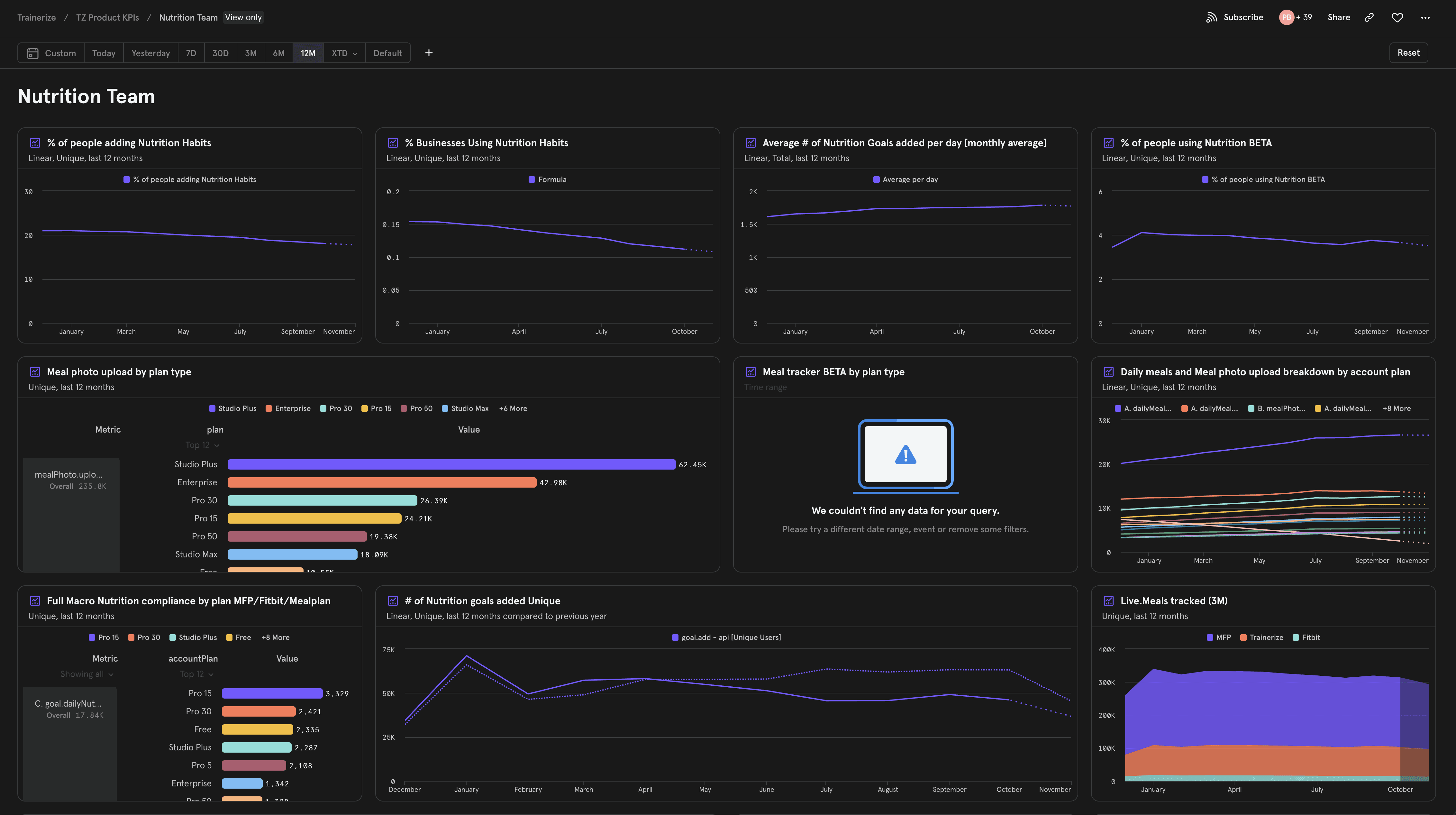
I also ran a detailed survey with more than 100 responses, analyzed historical feedback from UserVoice, reviewed existing Smart meal plan flow, and studied long-term feature behavior through Mixpanel data.

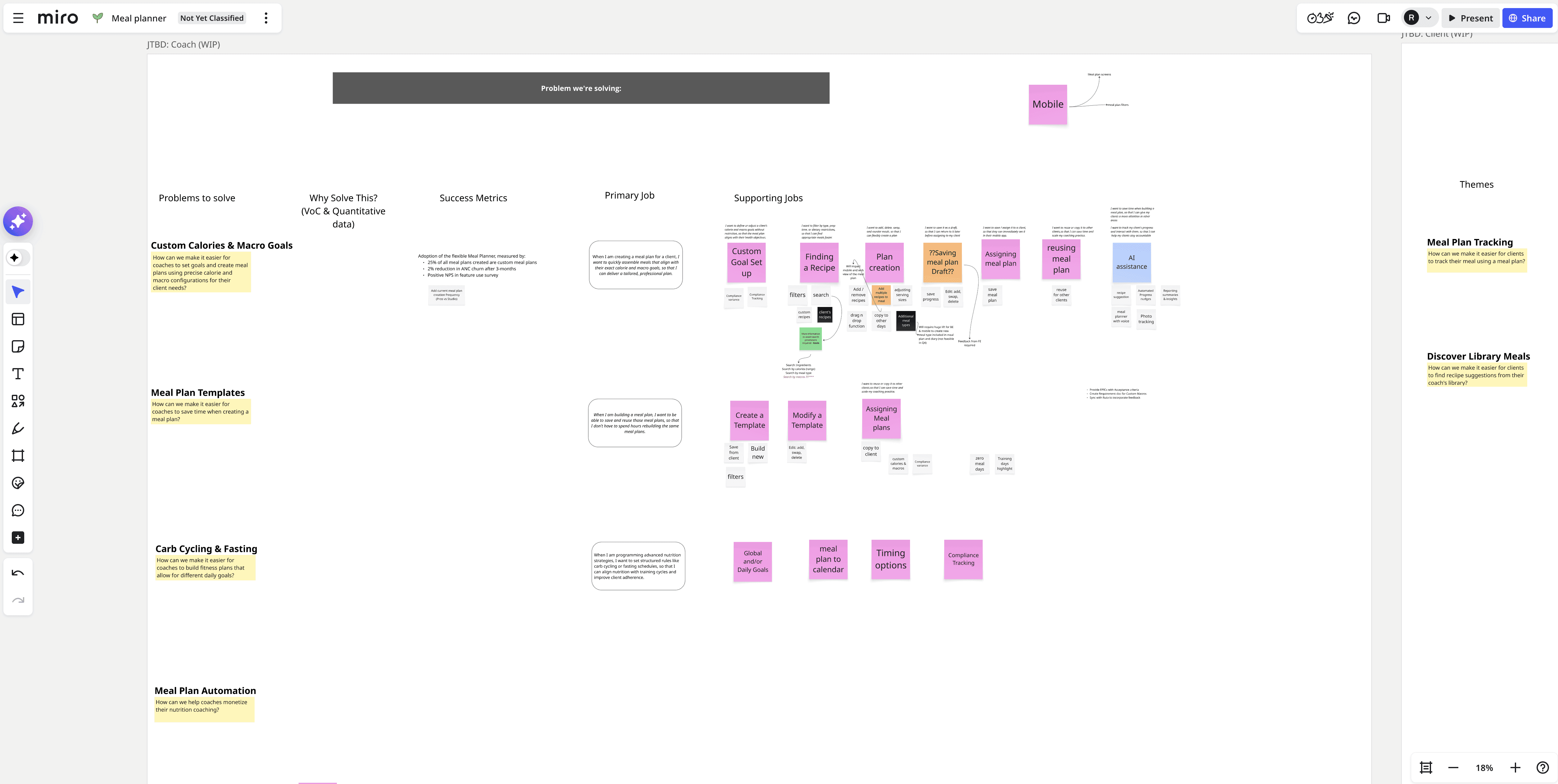
Alongside qualitative research, I created journey maps and Jobs To Be Done frameworks to identify where coaches experienced friction while creating meal plans.

The strongest theme across every research method was customization.

  • More control over meal plans and recipes

  • The ability to combine Trainerize meals with coaches recipes

  • Better macro distribution across meals

  • Different calorie goals depending on training days or rest days known as carb/calorie cycling

  • Simpler meal suggestions for beginner clients

  • Better discoverability of recipe libraries and nutrition tools


Technical Constraints

The existing Smart Meal Plan system was tightly connected to other parts of the nutrition platform, including daily goals and meal tracking, which made changes complex.

One key limitation was that the system only supported a single daily calorie goal, which blocked features like carb cycling and multiple goal setups. Because of these dependencies, we had to design a solution that introduced flexibility without breaking existing flows. This required close collaboration with engineering to balance scope, feasibility, and long-term scalability.

Defining the Scope

After synthesizing research, I aligned with product and engineering to focus the first release on the core problem: making meal plan creation flexible and usable in real coaching workflows. Knowing the technical constraints, we prioritized a flexible meal planner as the foundation and decided to iterate over time rather than ship everything at once.

We focused the initial release on flexible meal structure, adding custom meals, and removing restrictive calorie blocks. More advanced features like carb cycling and meal templates were intentionally planned for a second iteration to keep the first release focused and stable.

The Solution

The
Solution

The first beta introduced a flexible “build your own meal plan” experience. Instead of auto-generated structures, coaches could assemble plans using drag-and-drop meals, custom meal blocks (e.g. snacks or pre-workout meals), editable sections, macro visibility, and improved recipe filtering.

This gave coaches more control to create plans ranging from simple repeatable meals to more structured nutrition programs.

The second iteration added multiple calorie goals across the week, early carb cycling support, reusable templates, and better recipe library visibility. The rollout started with a small beta group and expanded based on feedback.


Feedback and other considerations

The meal planner was built as a popup-based experience instead of a full-page layout. The content density (meals, recipes, macros, editing tools) didn’t fit well within a standard page with persistent navigation.

Collapsing navigation was considered but was out of scope, so the popup approach kept the focus on building without requiring broader platform changes.

During testing, coaches wanted to see ingredients (not just recipes), asked for stronger filtering (planned but deprioritized due to engineering capacity), and gave mixed feedback on navigation labels (Monday/Tuesday vs Day 1/Day 2), showing a tension between flexibility and consistency.

These insights shaped the next iteration and clarified where the product needed more depth versus simplicity.

We updated daily nutrition goal with the ability of adding multiple goals

Outcome

The flexible meal planner exceeded the initial success targets within the rollout period. Adoption reached 60% of active coaches within the first two months, surpassing the 50% goal. We also saw a 5% reduction in churn for the Advanced Nutrition Coaching plan after three months, indicating stronger retention tied to improved feature usability.

Qualitative feedback was equally strong, with coaches highlighting the increased flexibility and value the feature brought to their coaching workflow. One coach shared, “This takes it to another level,” while another noted, “I feel like it does raise our value as a coach, especially on the financial game” (Cameron Smotheman). Overall, the results confirmed that improving customization directly impacted both product adoption and perceived business value for coaches.

Create a free website with Framer, the website builder loved by startups, designers and agencies.